Continuity · software for aesthetic clinics

Clinics don’t lose patients at the door. They lose them between appointments.

Continuity is one system for the whole patient journey — the enquiry, the booking, the treatment record, the aftercare and an app the patient keeps — in Persian, Arabic, English and Kurdish. Designed and built by me, end to end.

Shown on a live demo with a fictional clinic. Every name and figure on this page is invented.

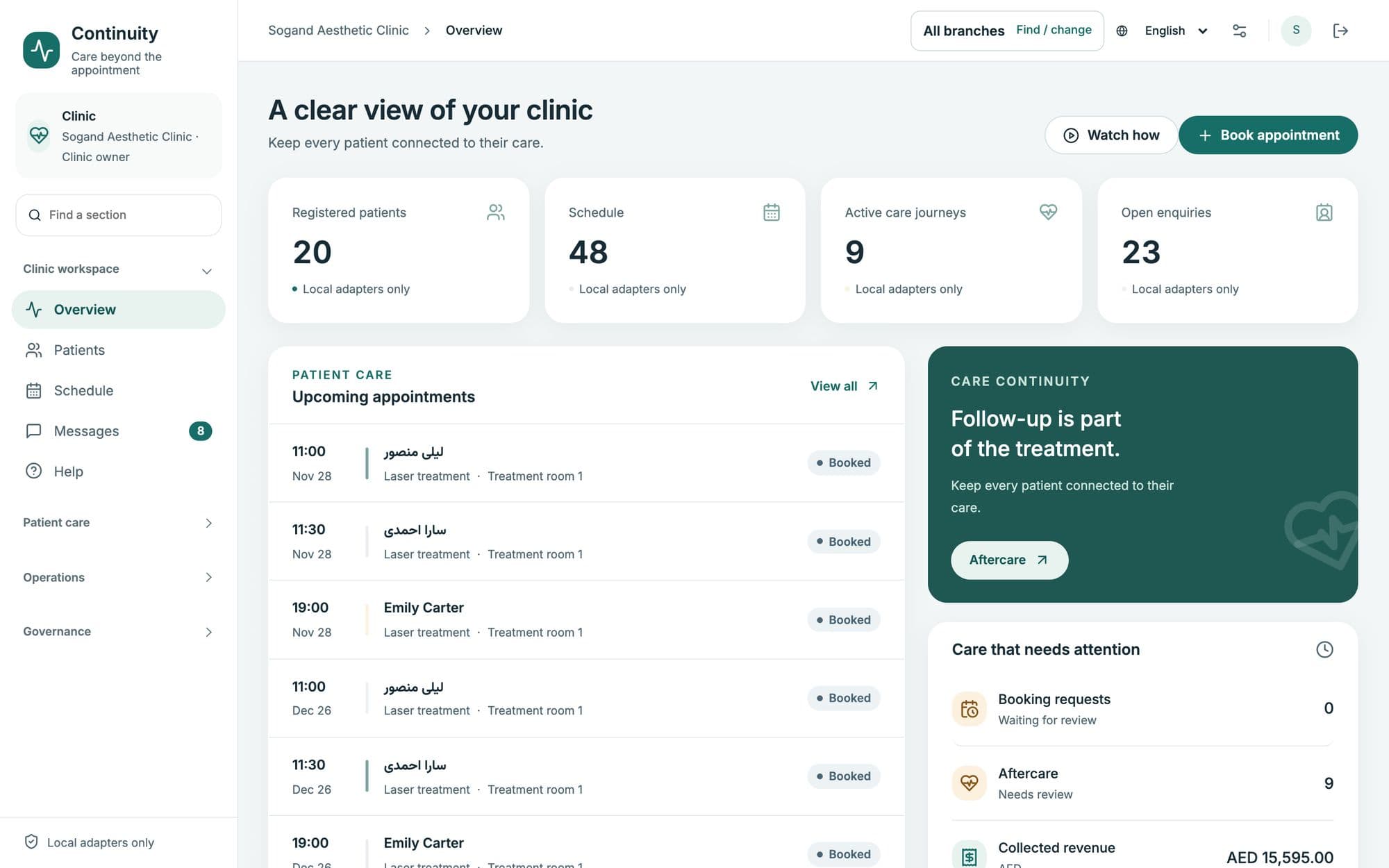
The clinic overview in Continuity: registered patients, today’s schedule, active care journeys, open enquiries, upcoming appointments and care that needs attention.
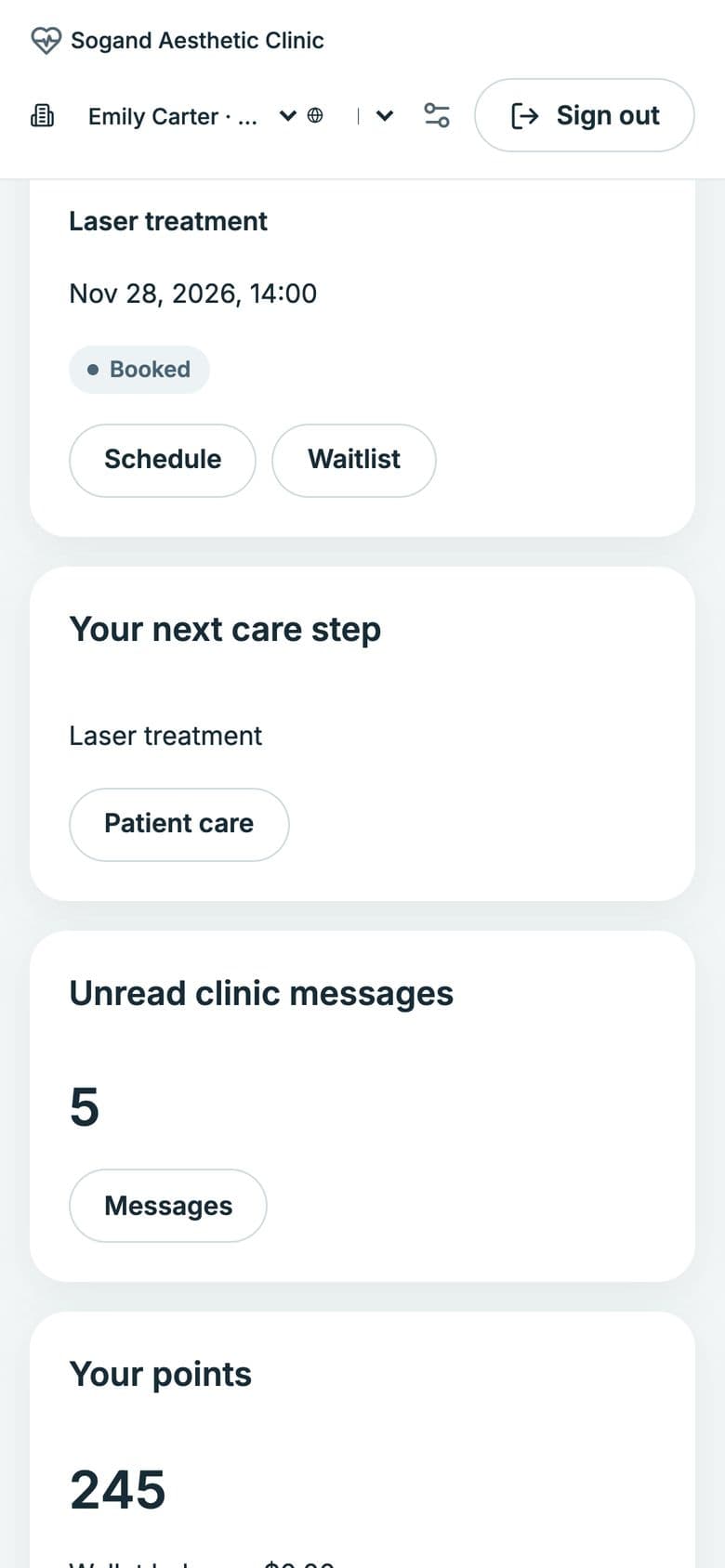
The patient app on a phone: the next appointment, the next care step and unread messages from the clinic.
  • Persian · Arabic · English · Kurdish
  • Right-to-left by design
  • Solar Hijri calendar
  • Several branches, several currencies
The problem

Where clinics quietly lose patients

Demand is rarely the issue. Value leaks away in the gaps between visits — and each gap has a fix.

  1. The enquiry that waits

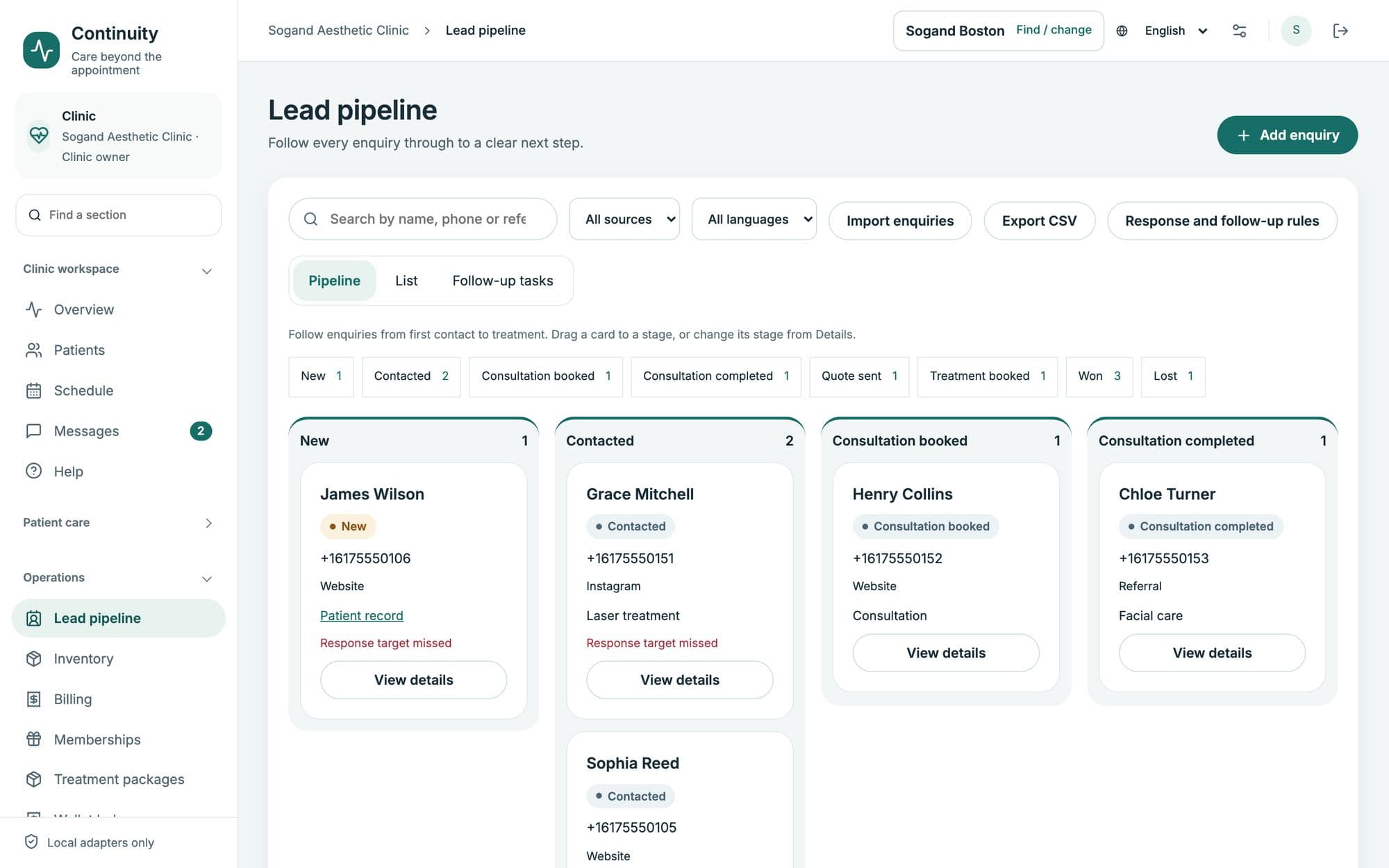
    A message from Instagram or WhatsApp sits unanswered for hours. By the time someone calls back, the patient has booked somewhere else.

    In ContinuityEvery enquiry lands in one pipeline, with a response timer that respects opening hours, follow-up tasks, and escalation when nobody answers.
  2. The second visit that never happens

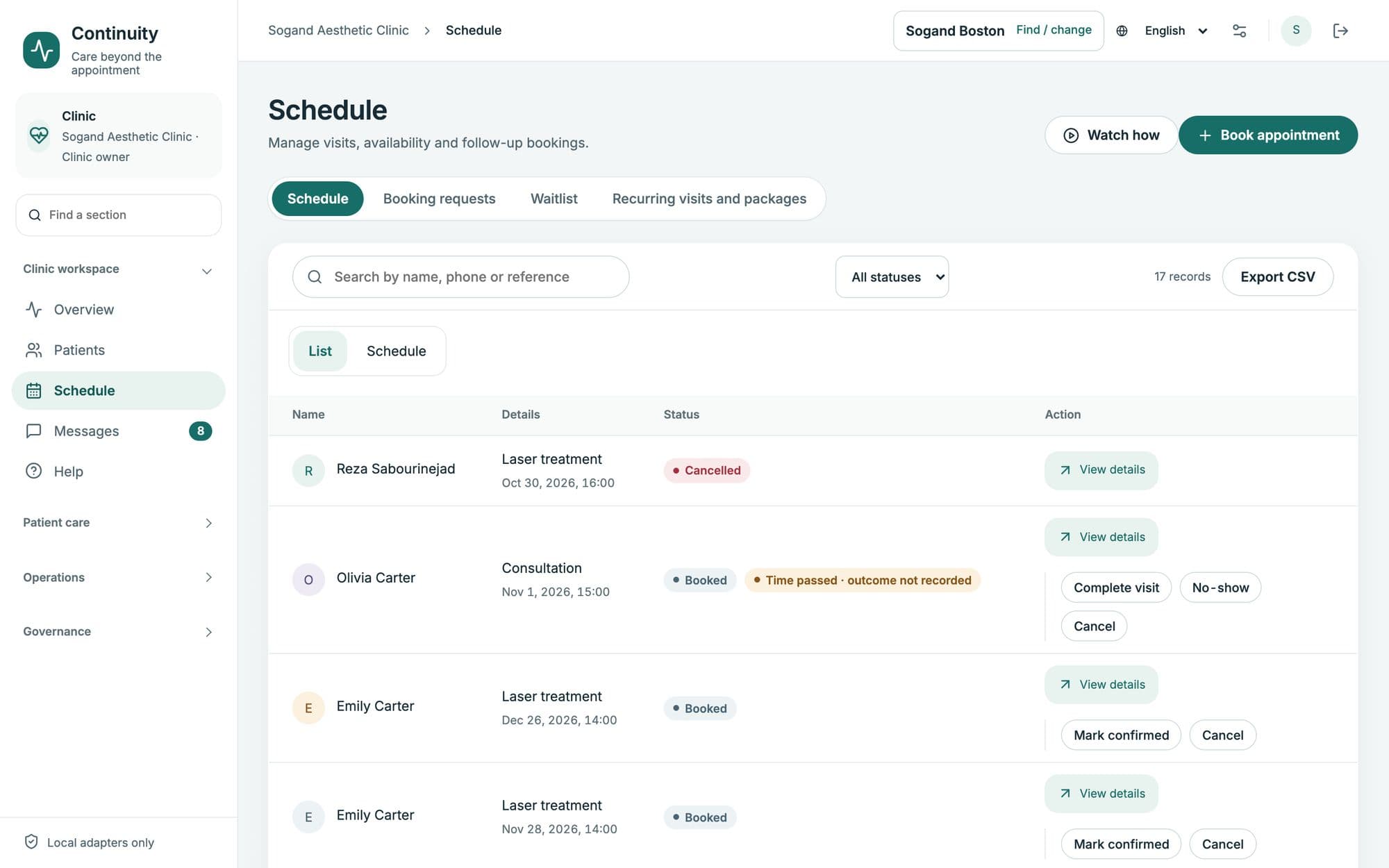
    The first rebooking is the fragile one. Patients who leave without their next visit booked often don’t come back.

    In ContinuityRebooking at checkout, reminders timed to each treatment, and packages and memberships that carry a patient to the third visit.

  3. Silence after treatment

    The patient goes home, something feels wrong, and they don’t know whom to ask. Messages after hours go nowhere.

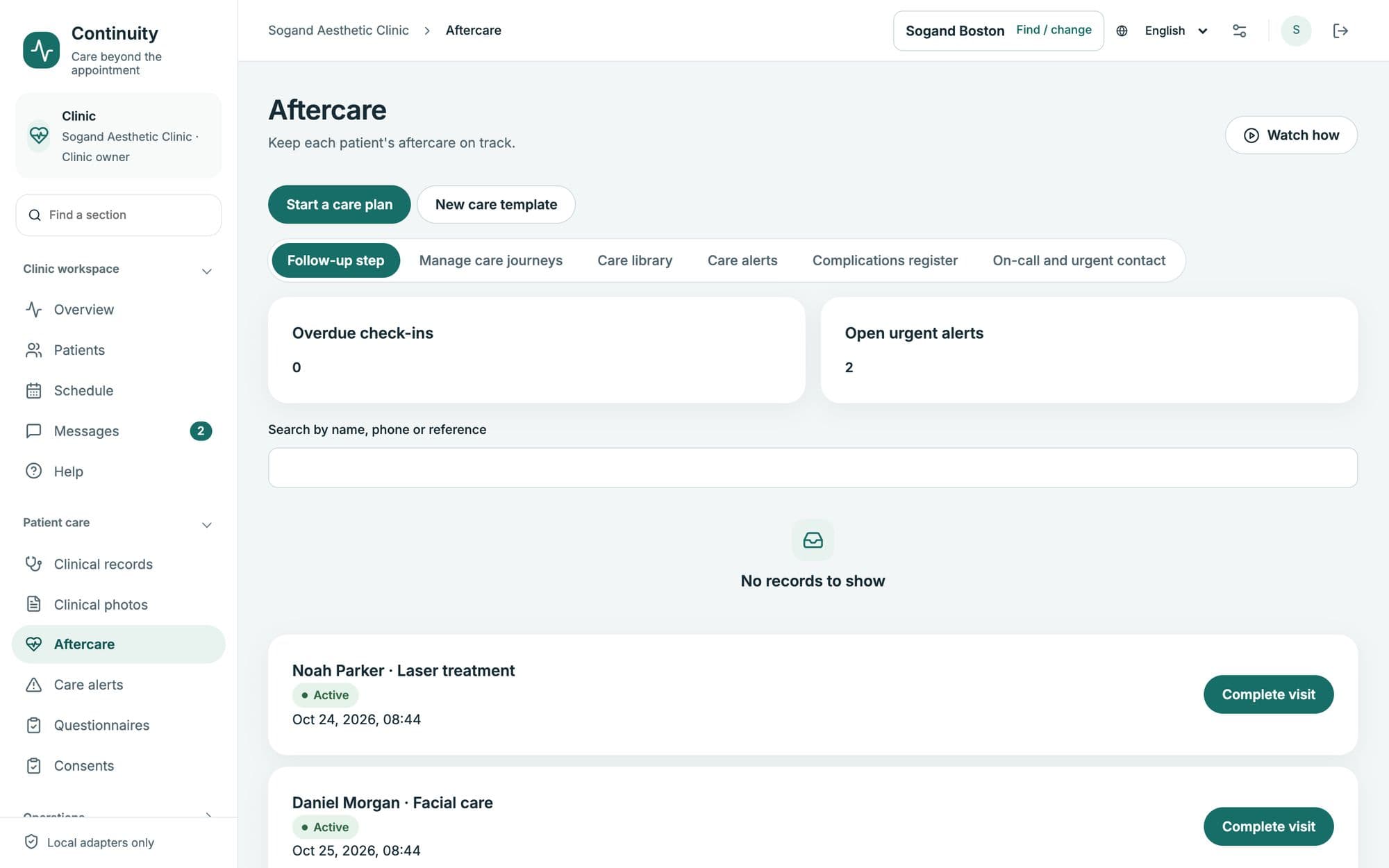
    In ContinuityAftercare journeys with check-ins at the right moments. A red-flag answer reaches a clinician at once, day or night, with an on-call rota behind it.

  4. Records the patient never sees

    Which product, which batch, which practitioner, which photos — kept in a notebook or a chat, out of the patient’s reach.

    In ContinuitySigned clinical records, photos with consent and their originals preserved, and a patient app where patients hold their own history.

How it works

One system, from the first message to the third visit

The front desk, the treatment room and the owner work in the same place, and the patient sees their side of it in their own app.

The whole clinic at a glance

Upcoming visits, care that needs attention, open enquiries and collected revenue — for every branch together, or one at a time.

The overview: patients, schedule, care journeys, enquiries and revenue.
For the patient

And an app the patient actually keeps

A separate app with the clinic’s name on it. Patients sign in with a one-time code — no password, no app store.

  • The next visit and the next care step, first thing on the screen
  • Signed records, receipts and photos, downloadable as PDF
  • Book, move or cancel a visit under the clinic’s own terms
  • Messages to the clinic, with photos and voice notes
  • Loyalty points, packages, memberships and gift cards
  • Installs from the browser to the home screen
Try it as a patient

Sign up with any email at the fictional clinic. The demo code is 123456.

Patient app home: next appointment and care step.
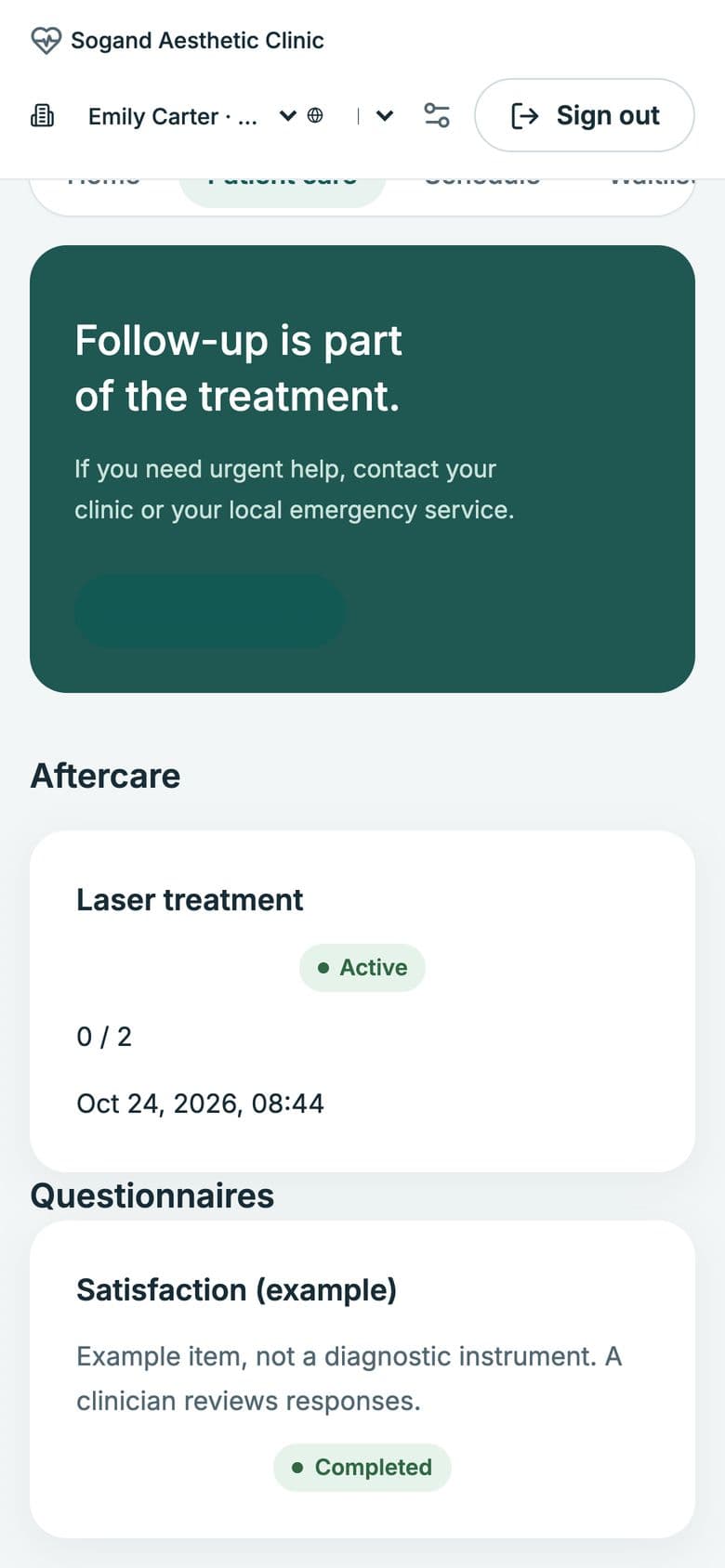
Patient app aftercare: follow-up is part of the treatment, with active care plans and questionnaires.
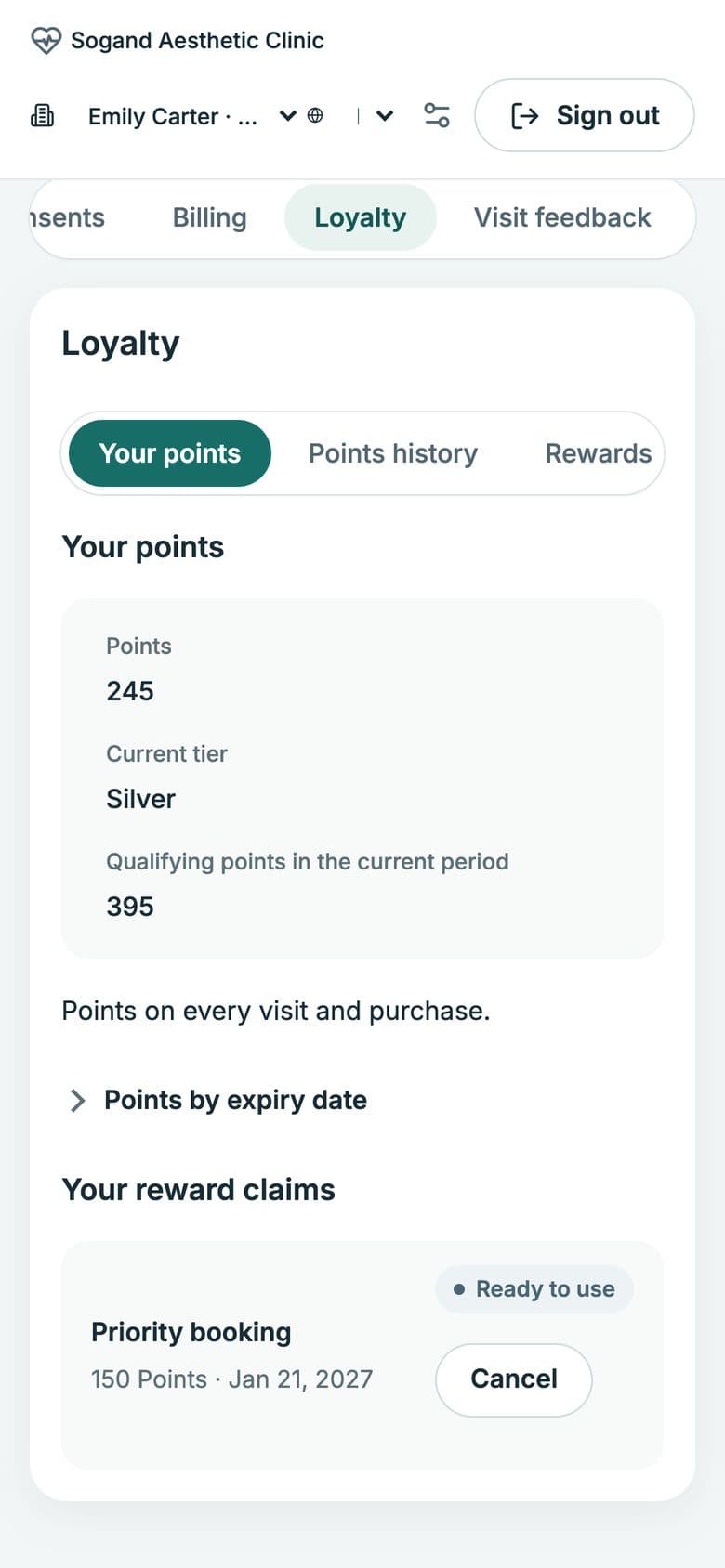
Patient app loyalty: points, tier and rewards ready to use.
Made for the region

Built for clinics in Iran and the Gulf, not translated for them

Four languages, two directions

Persian, Arabic, English and Kurdish, right-to-left where it should be. Staff and every patient each choose their own language.

Your calendar, your currency

Solar Hijri or Gregorian dates and Persian digits; rials, tomans, dirhams or dollars; each branch in its own time zone.

The rules of the place

Rule packs for Dubai, Abu Dhabi, Saudi Arabia, Iran and the EU: consent types, retention periods, messaging windows and advertising wording.

Several branches, one clinic

The demo runs branches in Tehran, Dubai and Boston: shared patients, separate schedules, reports per branch or together.

Also inside

Everything else a clinic runs on

  • Enquiries and CRM
  • Patient records
  • Scheduling and resources
  • Waitlists
  • Clinical notes and signatures
  • Photos with consent
  • Consent forms
  • Aftercare journeys
  • Questionnaires
  • Patient app
  • Messages and templates
  • Campaigns and reviews
  • Loyalty and referrals
  • Packages and memberships
  • Gift cards
  • Invoices and payments
  • Commissions
  • Inventory and batch recalls
  • Reports
  • Staff and licences
  • Writing assistant, off by default
Security

Health data, handled like health data

Each role sees what it should

Nine roles with a permission matrix the owner controls. The front desk and marketing never see clinical notes.

Every access is recorded

Each look at a patient’s health information is logged, and staff sign in with a second step.

Encrypted at rest

Sensitive fields and original photos are stored encrypted.

The data is the clinic’s

Export one patient or the whole clinic at any time, in open formats: CSV, JSON, PDF and images.

See it

Watch it work

Short narrated videos, each following one task from start to finish — at the clinic and on the patient’s phone. In English, with subtitles.

New patient sign-up and online booking1:34
Aftercare after a treatment1:48
Deposit and checkout1:48
Where it stands

Working today, set up for your clinic

Continuity runs end to end on the live demo. What changes for a real clinic is its connection to the outside world — your WhatsApp, SMS and payment providers, your treatments and protocols, your patient list. In the demo those are simulated; for your clinic, connecting them is the setup work.

  1. A short call

    You tell me how the clinic runs today. I show you the system with treatments like yours.

  2. Your clinic, in a demo

    Your branches, services and languages set up privately, so your team can try it before deciding.

  3. Setup

    Patients imported, providers connected, templates and aftercare plans approved, staff shown how to use it.

Questions

Before you ask

Is it ready to use?

Every part runs on the demo with fictional data. For your clinic, the remaining work is setup — connecting your messaging and payment providers and loading your services and patients. I’ll tell you plainly what that involves before you decide.

Does Persian really work, or is it translated?

It was designed right-to-left from the start. Persian uses the Solar Hijri calendar and Persian digits, and each patient sees the app in their own language.

Can we bring our existing patient list?

Yes. Patients and enquiries import from a CSV file, with a preview and duplicate detection before anything is saved.

Who owns the data, and where does it live?

Your clinic owns it and can export all of it at any time. Where it is hosted is decided per clinic.

Do patients have to install anything?

No app store. The patient app opens from a link and can be added to the home screen; sign-in is a one-time code.

How much does it cost?

It depends on the number of branches and what needs setting up. After a short conversation I send a written proposal with a clear scope.

Next step

See it with your own clinic’s treatments

Tell me about your clinic — how many branches, which treatments, which languages. I reply within two working days with a time for a walkthrough.

All clinics, people and data shown are fictional.